Configure tags Yourself
Write and configure NFC tags directly from your phone. Create products in the web portal, then tap to write — no pre-configured tags needed.


Write NFC tags
Configure blank NFC tags directly from your phone, using the same security standards as our mass production process.
Self-Service setup
Ideal for smaller-scale or custom setups where you want full control — define your product in the portal, then write tags yourself.
Android & iOS
Available on both major mobile platforms, so your team can configure tags from any device.
Simple setup, instant results
Get started in minutes with a straightforward three-step process.
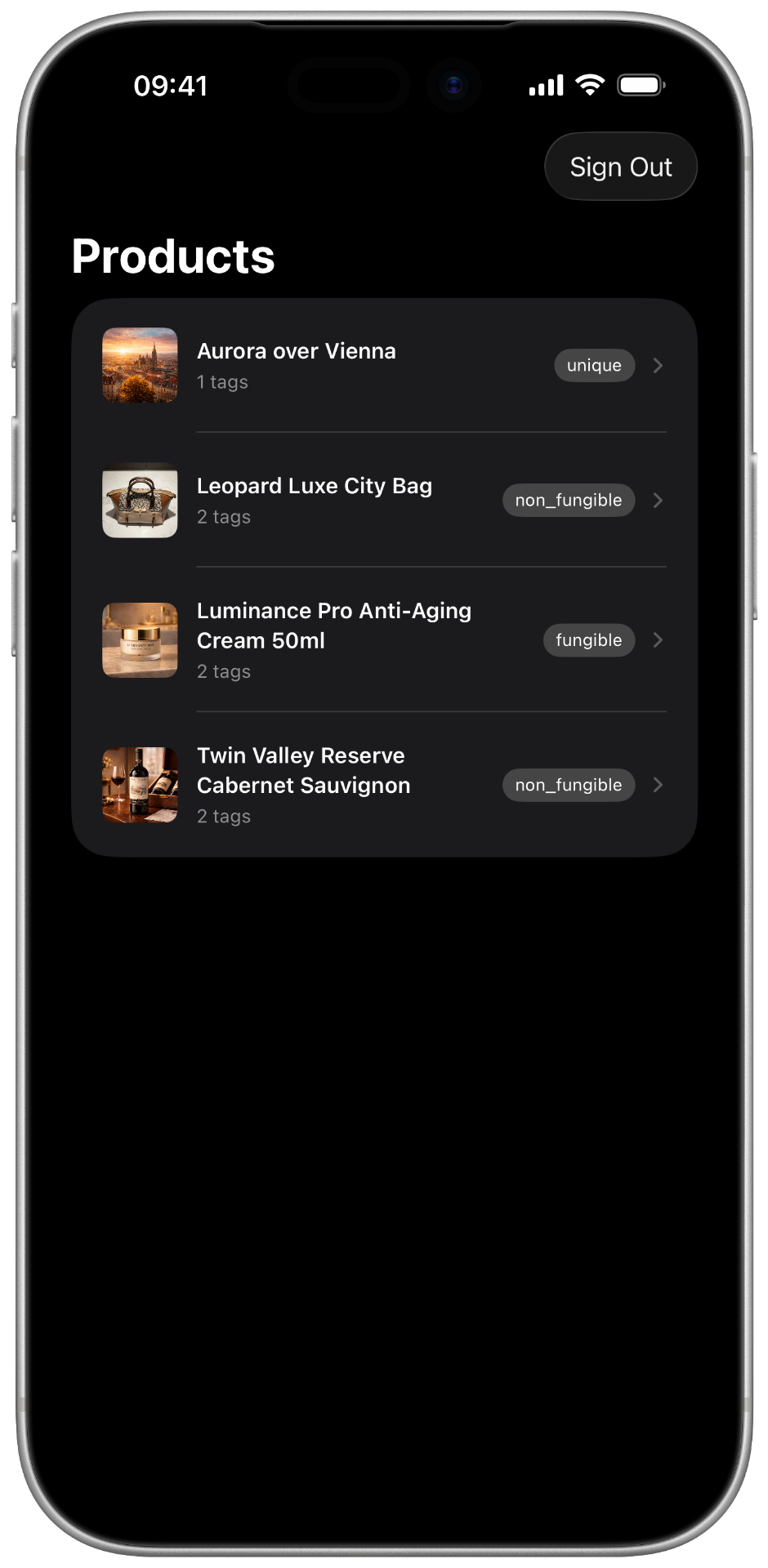
Create product
Define your product type and configuration in the TAGBASE web portal.
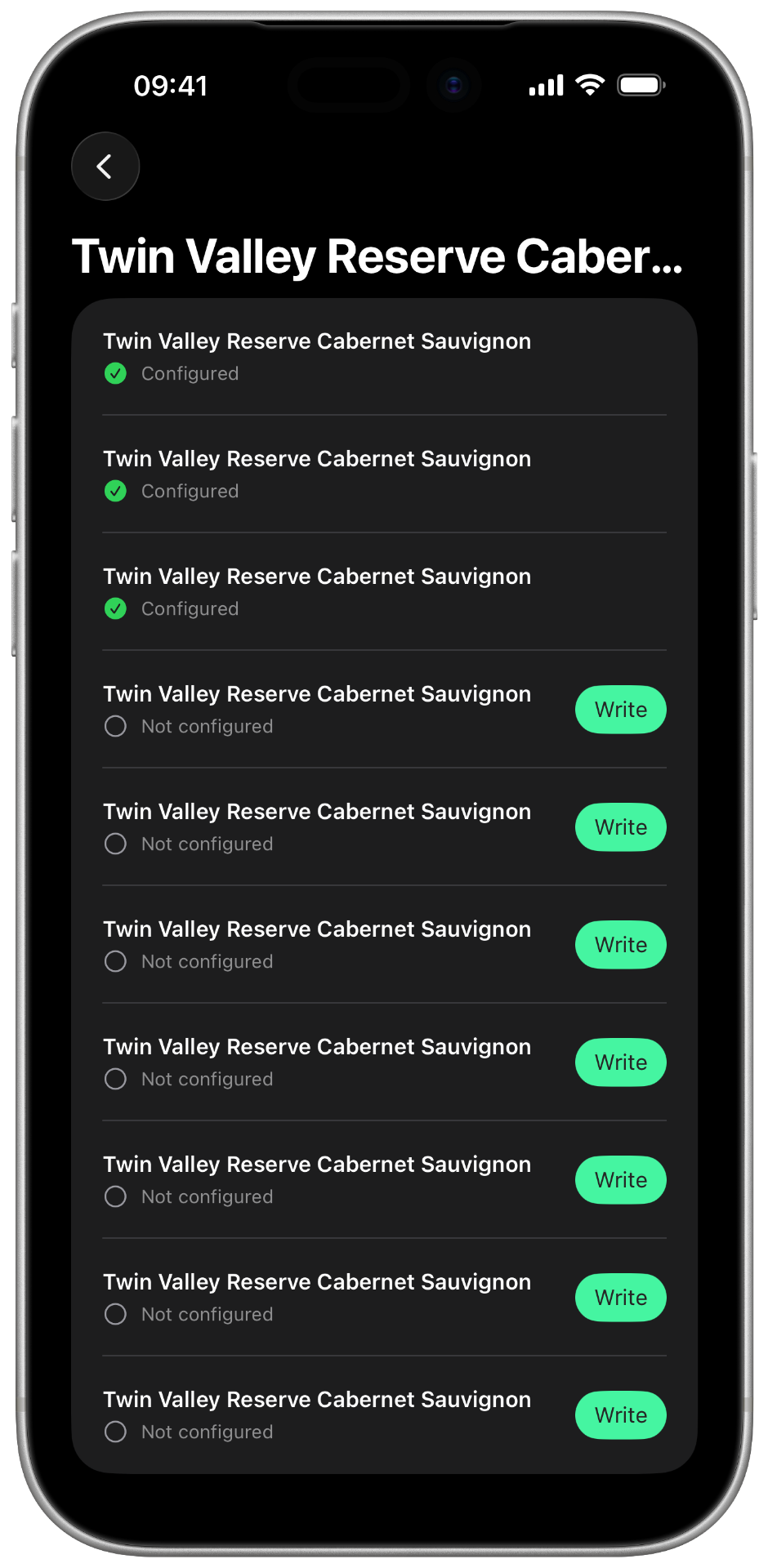
Open Writer app
Launch the Writer app on your phone and select the product you want to configure.
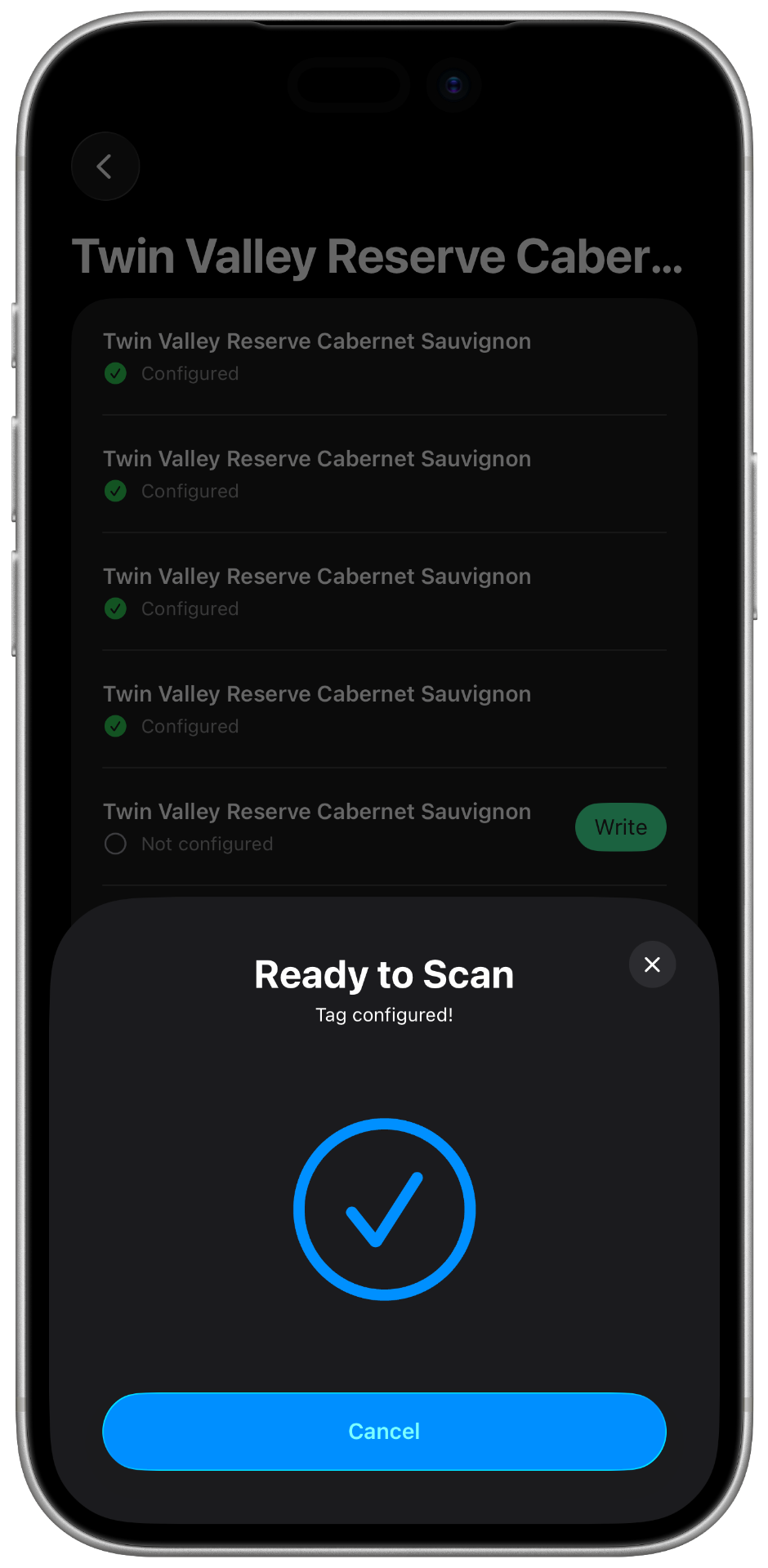
Tap & write
Hold your phone to the NFC tag to write the configuration. Done — the tag is ready.
Ready to configure tags your way?
Download the Writer app and start writing NFC tags directly from your phone. Available now on iOS and Android.
Have questions? Let's talk.
Schedule a call